7 April 2025 · Retail Labs
How to Customize AI Models to Reflect Your Brand Identity
A practical playbook for building AI models that feel unmistakably yours: not generic.
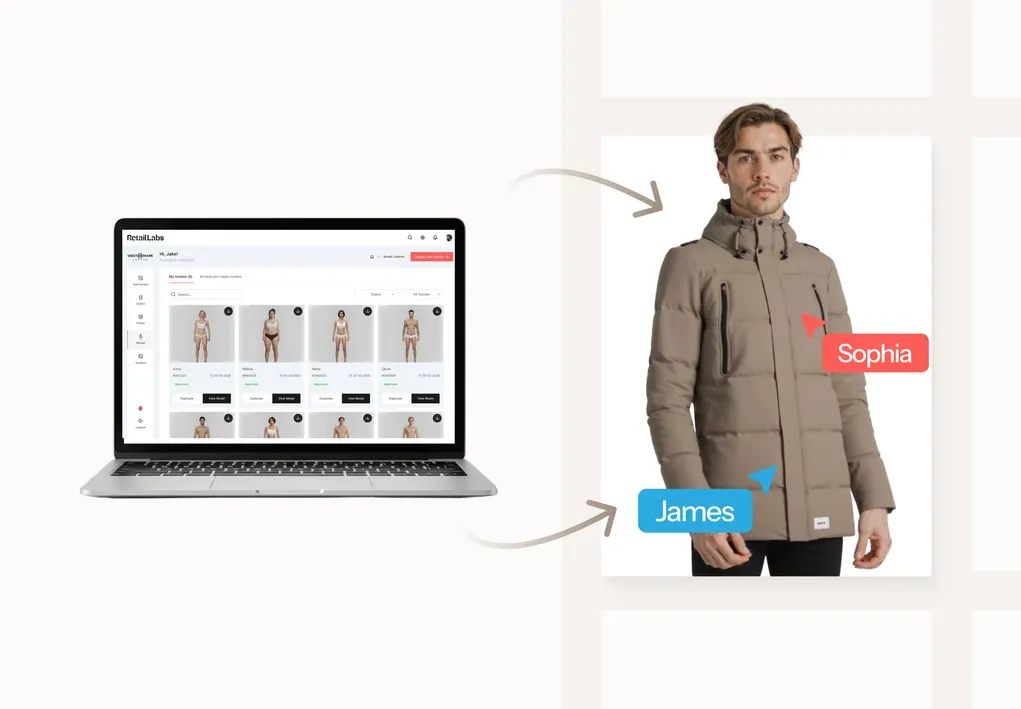
Generic AI models produce generic content. The fastest way to make AI imagery feel branded is to invest a few hours up-front in a custom model that maps to your brand’s existing visual language.
Step 1: Codify your brand muse
Before you train anything, write down what your brand muse looks like: body, age, energy, attitude. Do it in 5–8 short bullets. Most brands skip this and end up with a custom model that looks like everyone else’s.
Step 2: Curate reference images
Pull 12–20 images of the model archetype you want, ideally:
- Mixed lighting (studio + natural)
- Multiple angles
- A range of expressions
- One or two close-ups for face fidelity
Avoid heavy filters: they teach the AI the filter, not the face.
Step 3: Train and validate
Submit references to your AI imagery platform. Validation matters more than people think:
- Generate 10 test outputs with no styling, neutral scene
- Check fidelity at 100% zoom (eyes, hands, posture)
- Reject and retrain if fidelity drops below your acceptable threshold
Step 4: Build a styling preset around the model
Pair your custom model with:
- 2–3 brand-aligned scenes
- A consistent lighting profile
- A go-to colour grading
Now any junior team member can produce on-brand imagery without art-direction overhead.
Step 5: Maintain and refresh
Every 6 months, review:
- Has the brand muse evolved?
- Are there underused models in the library?
- Do you need a second model for a different audience segment?
Custom models age. Treat them like brand assets: versioned, reviewed, refreshed.